Live
BDC holdings
Schedule-of-investments marks, holders and same-facility disagreement across every BDC that filed a tape we can take to a desk.
Ask a name. See the facility-matched filing vehicles, and the mark each printed. Same facility, latest quarter, from SEC EDGAR.
Using Claude, Cursor or ChatGPT? Connect the agent instead. Or See the product first.
lookup q=Coupa. Who holds it, and how do they mark the same loan?
Copied
This is the terminal. Trial and Matched answer the same questions over the API and MCP, so an agent gets the identical numbers with the filing cited.
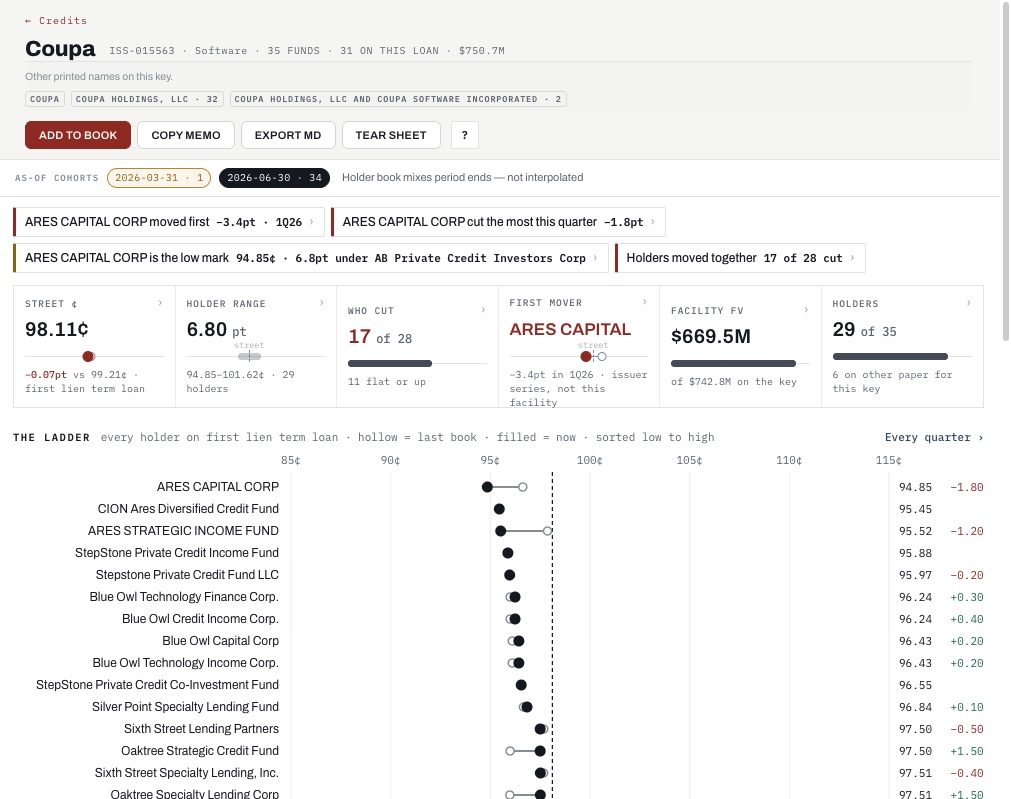
Ask a name. Every fund that printed it sits on one cent axis: last book hollow, this quarter filled, the street dashed. The fund that cut first is obvious before you read a number.
Click any holder and that fund's book opens with the same loan highlighted.
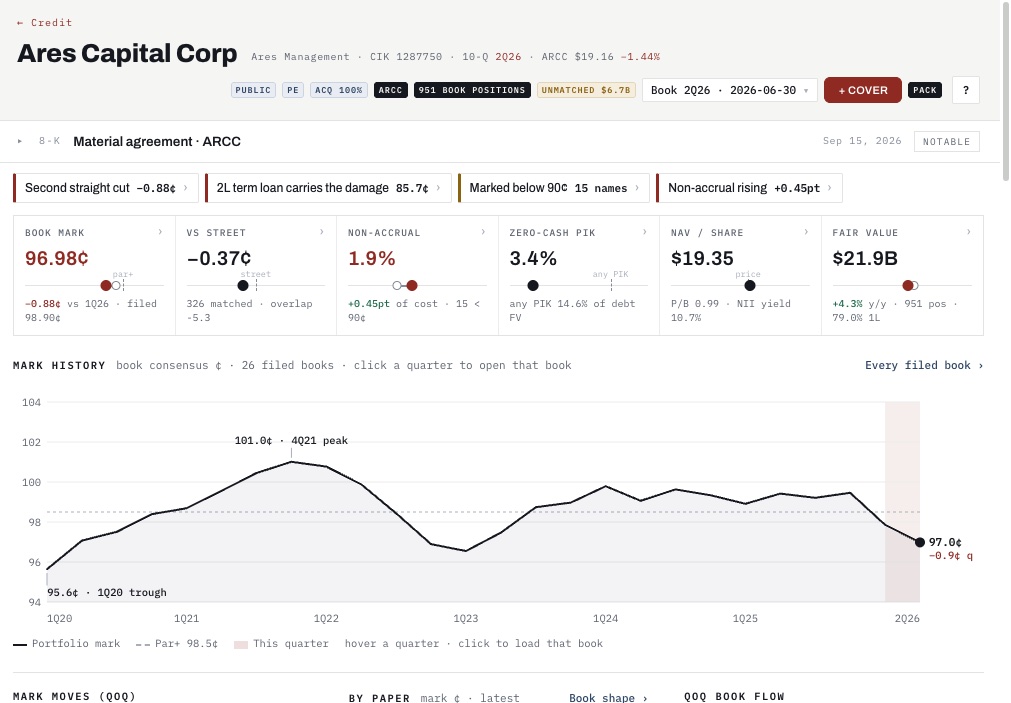
Book mark against the street, non-accrual, zero-cash PIK, NAV. Then the whole mark history since 2020 with the peak and the trough named, and this quarter shaded.
Click a quarter and that filed book opens, as printed.
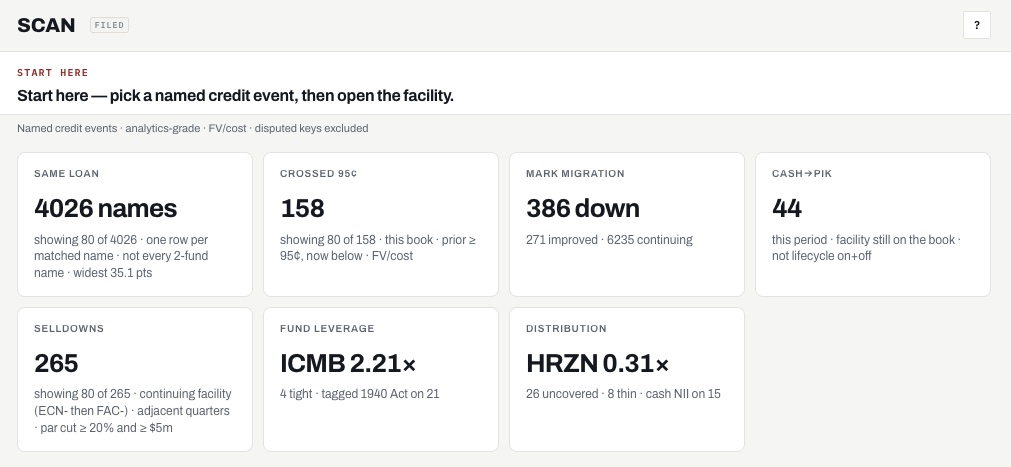
Same-loan disagreements, names that crossed 95¢, mark migration, cash turning to PIK, selldowns, leverage, distribution cover. Each tile is a list. Each row opens the facility.
On the terminal: show the widest same-loan disagreements this quarter, on fair value versus principal.
BDC, interval and listed CLO CEF schedules of investments, from SEC EDGAR, every quarter. Every line as printed, with the row it came from.
Same instrument, same maturity, across every holder. Same facility, every holder's printed mark. A book blend is not a mark, so we never blend.
Trial Who holds Coupa, and at what mark?
Terminal Show the widest same-loan disagreements this quarter, on fair value versus principal.
Start Trial with a work email, then Connect. OAuth for Claude and Cursor. The prompt is one sentence.
Need a terminal seat? Request access. Docs and founders are in the footer.
Mark your book against every other holder of the same loan before the quarter closes. See who cut first, and by how much.
Compare how the managers you back mark the same names. Dispersion is a diligence question, not a footnote.
Claude, Cursor and ChatGPT connect over MCP with one URL and OAuth. Every answer carries the compile it came from.
Live on BDC, interval-fund, loan-fund and listed CLO CEF marks sourced to EDGAR.
Schedule-of-investments marks, holders and same-facility disagreement across every BDC that filed a tape we can take to a desk.
The same screen for interval vehicles that file a schedule of investments. Mixed in with the BDC tape, not a separate product.
Tender-offer and listed loan funds that file a schedule of investments. Holders of the same credits, on the same screen.
Listed CLO CEF tranche holdings from the N-CSR schedule. Deal and class as printed. Not the loans inside the deal.
Trial, Tape and Matched start themselves. A terminal seat is by invitation. Sign in sends you to the right one.
Terminal Widest same-loan disagreements, the scan, every fund profile and /app. By invitation.
If you already have a seat, sign in. You land on /app.
No seat yet? Request access.